BlogGuide
Exam paper leaks: a marked copy for everyone who sees it
How exam offices trace paper leaks: a marked copy for everyone who handles the paper, and a printed code that a phone photo can still show.
- Author
- PDF Ghost Team
- Updated
- First published
- Reading time
- 5 min
On this page7 sections
- Staff and phones both show up in England's exam figures
- Give everyone who handles the paper before the exam their own copy
- Print the copy code on every page for photos
- For take-home and online exams, give each student a copy
- Plan for the cost and the file size
- Tell students and staff that copies are marked
- What marked exam papers can't do
Exam papers can leak before the exam, from the people who handle the paper, or during and after it, as a phone photo of a page. To trace the first, give each person who handles the paper beforehand their own marked copy. For the second, print a short copy code on every page, because a photo doesn't carry anything hidden inside the file. Then a leaked file, or a photo that shows the bottom of a page, says whose copy it came from.
Staff and phones both show up in England's exam figures
England's exams regulator publishes the proven malpractice cases that led to a penalty. In the summer 2025 GCSE, AS and A level exams, 465 cases involved members of staff and 200 involved a school or college. Breach of security was the offence in 11.4 % of the proven staff cases. Of the 5,025 student cases, 44.3 % involved mobile phones or other communication devices, smartwatches included (Ofqual, published 11 December 2025).
Not every phone case is a photo of the paper, but a phone in the room is all a photo needs. A phone policy and invigilation prevent that; a code on the paper only helps you trace a photo afterwards.
Give everyone who handles the paper before the exam their own copy
Before the exam, the paper passes through the people who write it, review it, print it and run the exam rooms. If they all work from the same file, a leaked copy can't be told apart from the others.
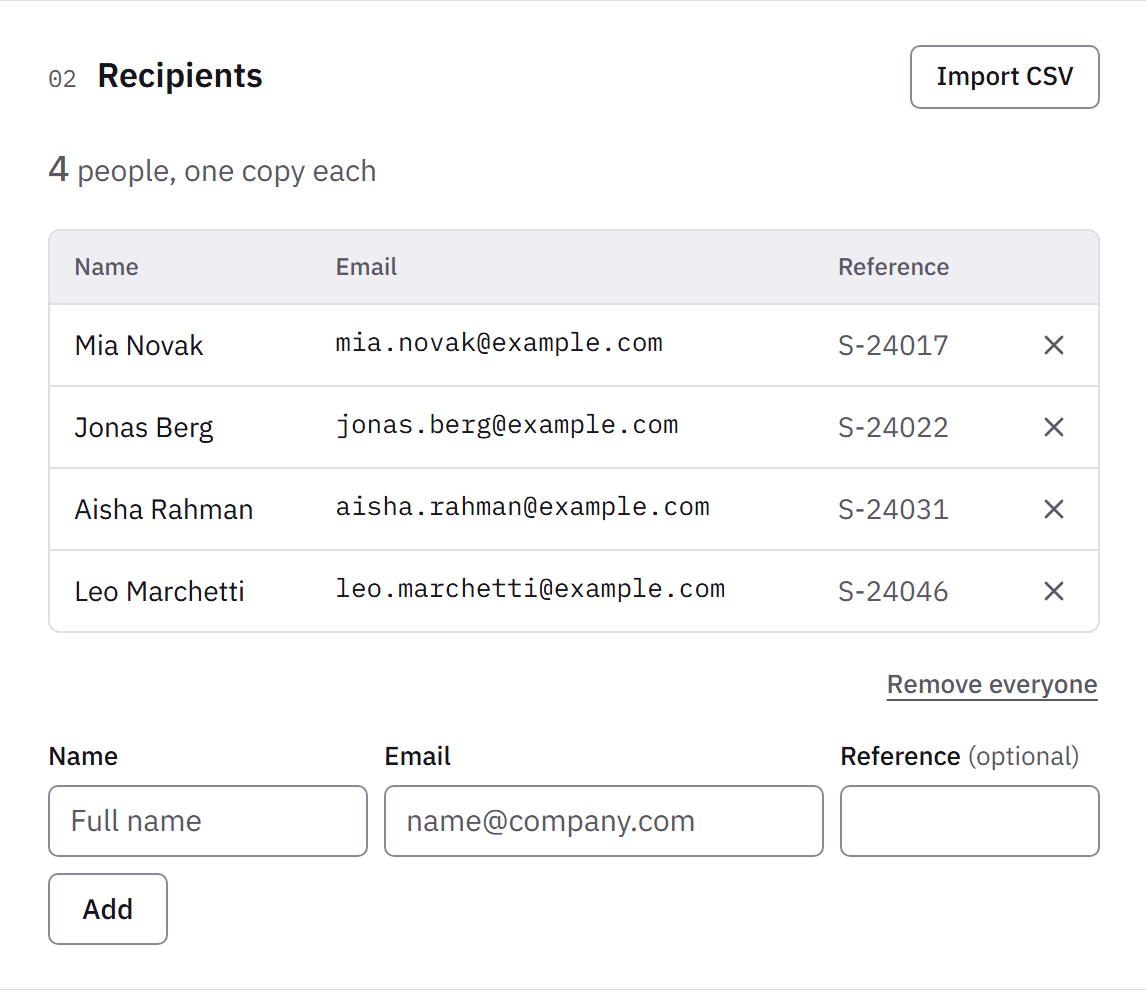
Make one copy per person or per exam centre instead. On Protect a PDF, add each one as a recipient, with a staff number or centre number as the reference. For many people, Import CSV takes the list from a spreadsheet. Each copy carries a hidden ID inside the file. If a copy turns up on a forum while it is still a file, a leak check says whose it is.
When a centre prints all its papers from its own copy, every printed paper carries that centre's code. A photo from the exam room then names the centre, not the student. To name the student, print each student's own copy and lay it out by student number.
Print the copy code on every page for photos
A photo or a scan doesn't carry anything hidden inside the PDF file. For papers that are printed or that a phone could photograph, switch on Show the copy code in the footer and Add a QR code under Marks; both are off by default. Every page then gets a short code such as PG-7K3M-QX97 at the bottom left, different for each copy, with a small QR code next to it.
A leak check reads the code from a photo, a screenshot or a scan, as long as the bottom-left corner is in the picture. We tried it with a simulated phone photo: a page of a made-up exam, tilted, slightly blurred and saved as a compressed JPEG.
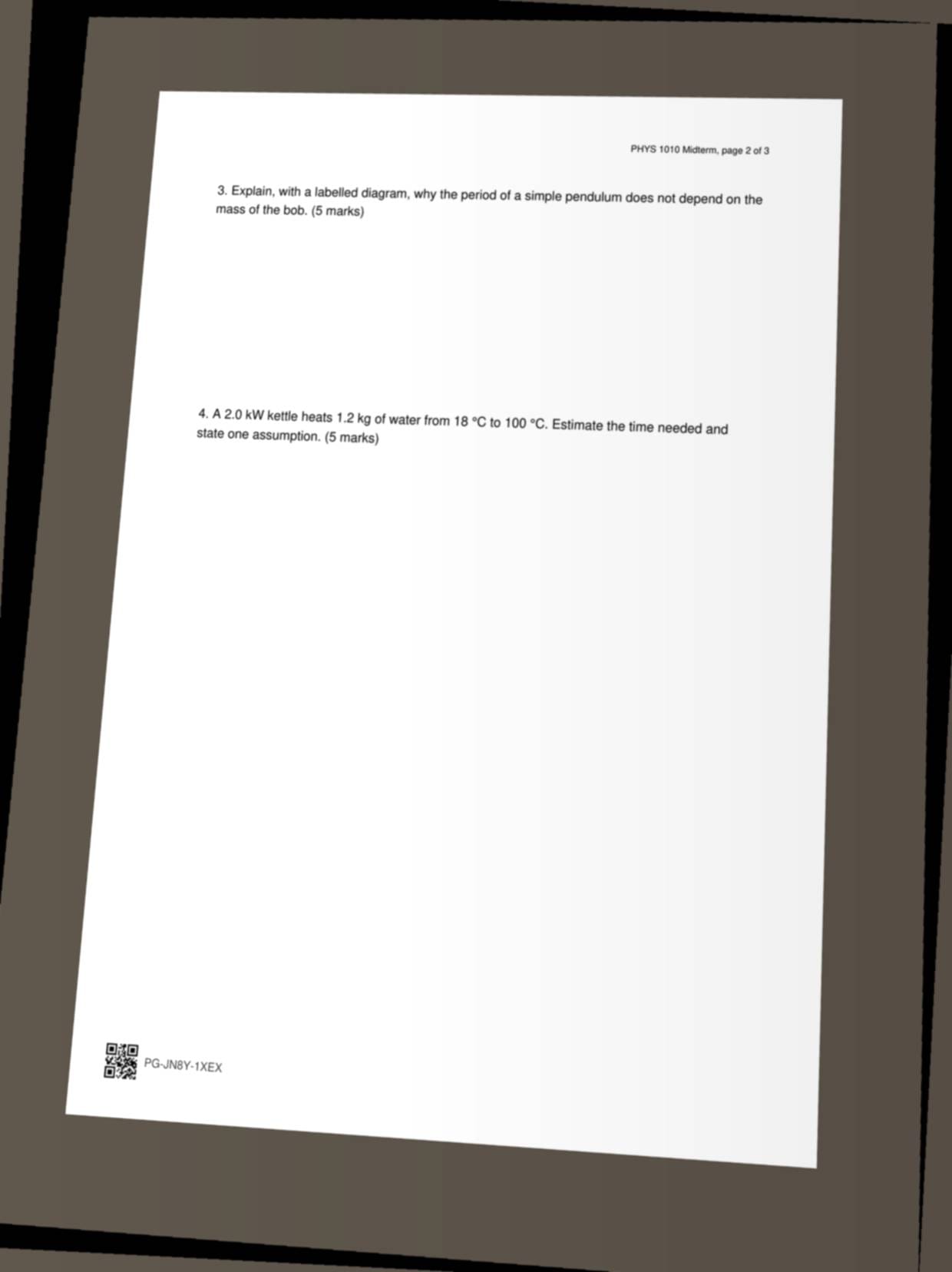
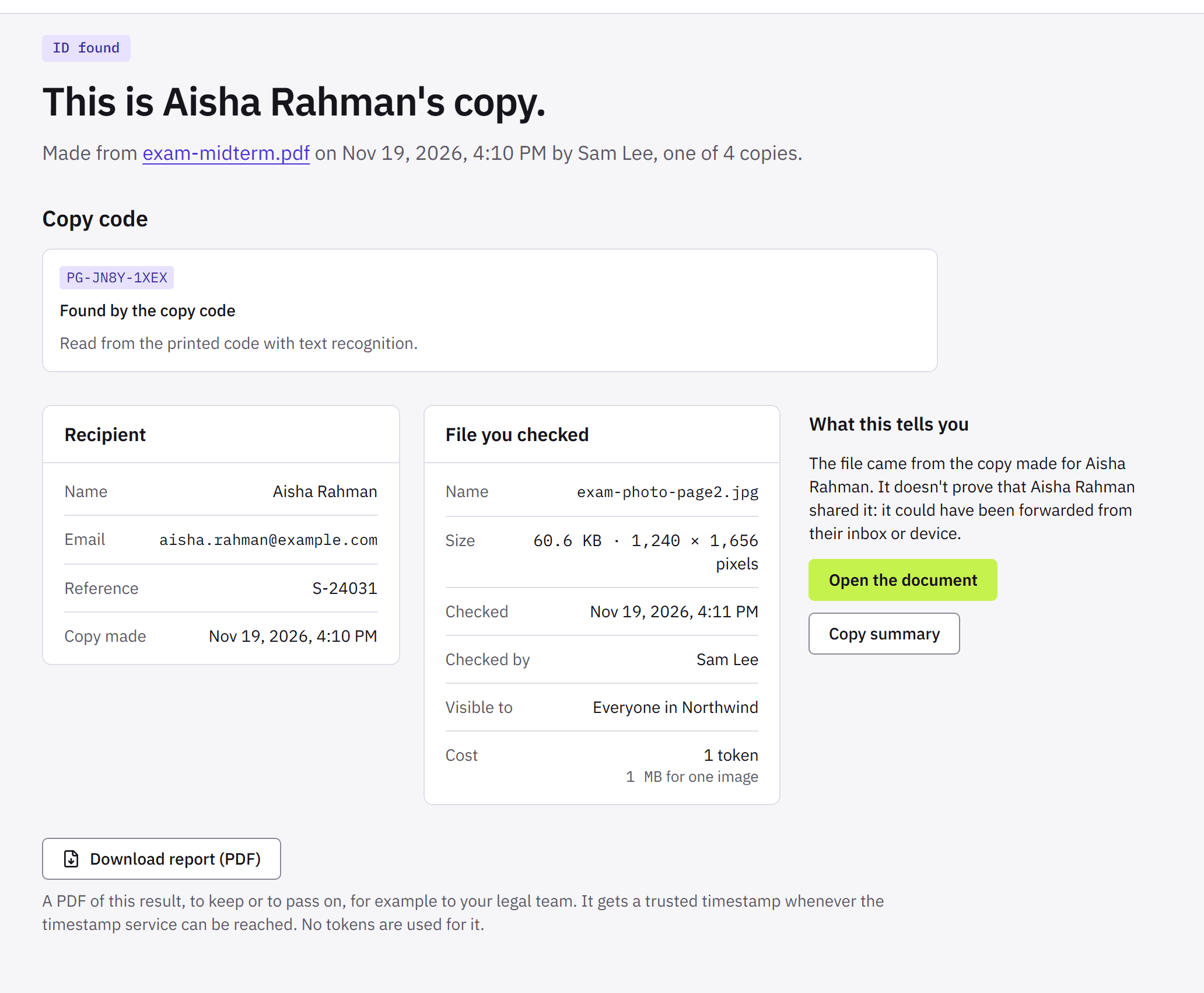
In this test the QR code wasn't readable, and the printed code was. The QR code still helps most photos and scans, so keep both on. Found a leaked PDF? Find out whose copy it was explains what a photo needs.
For take-home and online exams, give each student a copy
When students get the paper as a file, through the course page or by email, each student can get their own copy, with the student number as the reference. Download all (ZIP) on the document page gives you every copy at once to upload to your learning platform, or to print.
Plan for the cost and the file size
A job costs the file size in MB, rounded up, times the pages, times the copies. A long, image-heavy paper for a large cohort adds up: a 12-page paper of 4.2 MB for 300 students costs 5 × 12 × 300 = 18,000 tokens, which fits Team's 20,000 a month but not Pro's 5,000. Files can be up to 1 MB on Free, 5 MB on Starter, 100 MB on Pro, 250 MB on Team and 1,000 MB on Enterprise. Compressing scans before you upload lowers the cost. The tokens help page has the details.
Tell students and staff that copies are marked
Telling people that their copy is marked discourages passing it on. Tell recipients their copy is marked prints "This copy is individually marked." at the bottom left of every page, after the copy code. The printed line is a reminder; what the law asks for is your own notice. Add a sentence to your exam rules and privacy notice, for example: "Each exam paper is individually marked, so that a leaked copy can be traced to the copy it came from." See privacy best practices.
What marked exam papers can't do
- A photo without the bottom-left corner can't be traced, and neither can a photo too blurred to read. The code can also be cut off on purpose.
- Questions that are retyped, read out or memorised carry no mark.
- A match says whose copy it is, not who shared it: a student's copy can be photographed by someone else at the same desk or at home.
- Copies made before you used marks, and drafts passed around before the protected copies, can't be traced.
- Rebuilding the file in another app removes the hidden ID. The printed code stays on paper.
If a paper does leak, Found a leaked PDF? Find out whose copy it was walks through the leak check step by step.
Tags
- exams
- copy-code
- education
- academic-integrity
- leak-detection
- universities